构建夜灯-虚拟物联网硬件
文档摘要
构建夜灯 - 虚拟物联网硬件 在本课程的这一部分中,你将向你的虚拟物联网设备添加一个LED,并使用它来创建一个夜灯。 虚拟硬件 夜灯需要一个在CounterFit应用中创建的执行器。 该执行器是一个LED。在物理物联网设备中,它会是一个当电流通过时发光的发光二极管。这是一个具有两种状态(开和关)的数字执行器。发送值1会打开LED,而发送值0则关闭它。 夜灯的伪代码逻辑如下: 将执行器添加到CounterFit 要使用虚拟LED,你需要将其添加到CounterFit应用中。 任务 - 将执行器添加到CounterFit 将LED添加到CounterFit应用中。 确保CounterFit网页应用正在从本作业的前一部分运行。如果没有,请启动它并重新添加光传感器。
构建夜灯 - 虚拟物联网硬件
在本课程的这一部分中,你将向你的虚拟物联网设备添加一个LED,并使用它来创建一个夜灯。
虚拟硬件
夜灯需要一个在CounterFit应用中创建的执行器。
该执行器是一个LED。在物理物联网设备中,它会是一个当电流通过时发光的发光二极管。这是一个具有两种状态(开和关)的数字执行器。发送值1会打开LED,而发送值0则关闭它。
夜灯的伪代码逻辑如下:
Check the light level. If the light is less than 300 Turn the LED on Otherwise Turn the LED off
将执行器添加到CounterFit
要使用虚拟LED,你需要将其添加到CounterFit应用中。
任务 - 将执行器添加到CounterFit
将LED添加到CounterFit应用中。
-
确保CounterFit网页应用正在从本作业的前一部分运行。如果没有,请启动它并重新添加光传感器。
-
创建一个LED:
-
在“执行器”面板中的“创建执行器”框下,展开“执行器类型”框并选择“LED”。
-
将“引脚”设置为“5”。
-
选择“添加”按钮以在引脚5上创建LED。
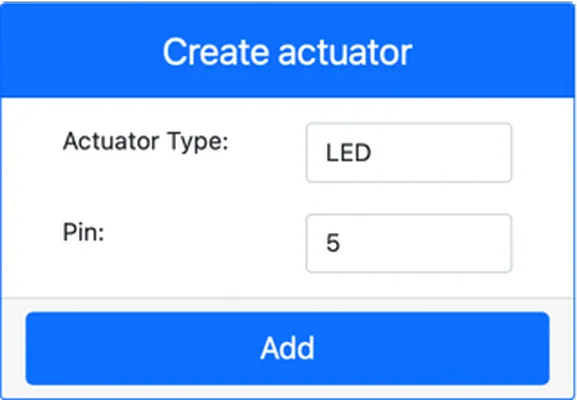
LED将会被创建并出现在执行器列表中。
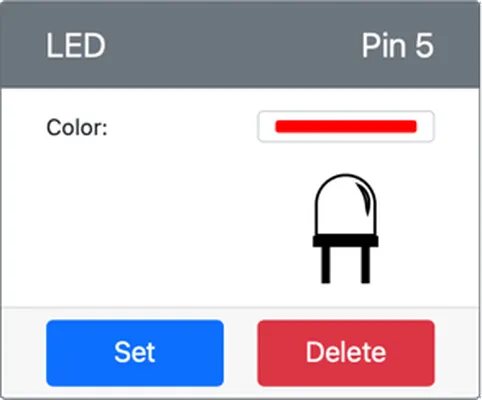
一旦LED被创建,你可以使用颜色选择器更改颜色。选择“设置”按钮以更改所选颜色。
-
编程夜灯
现在可以使用CounterFit光传感器和LED来编程夜灯了。
任务 - 编程夜灯
编程夜灯。
-
打开你在本作业前一部分创建的夜灯项目。如果有必要,杀死并重新创建终端以确保它使用虚拟环境运行。
-
打开
app.pyfile -
Add the following code to the
app.pyfile to connect to import a required library. This should be added to the top, below the otherimport行。from counterfit_shims_grove.grove_led import GroveLedfrom counterfit_shims_grove.grove_led import GroveLedstatement imports theGroveLedfrom the CounterFit Grove shim Python libraries. This library has code to interact with an LED created in the CounterFit app. -
Add the following code after the
light_sensor声明用于创建管理LED的类实例:led = GroveLed(5)led = GroveLed(5)creates an instance of theGroveLedclass connecting to pin 5 - the CounterFit Grove pin that the LED is connected to. -
Add a check inside the
whileloop, and before thetime.sleep行用于检查光线水平并根据需要打开或关闭LED:if light < 300: led.on() else: led.off()请确保
lightvalue. If this is less than 300 it calls theonmethod of theGroveLedclass which sends a digital value of 1 to the LED, turning it on. If the light value is greater than or equal to 300 it calls theoffmethod, sending a digital value of 0 to the LED, turning it off.This code should be indented to the same level as the
print('Light level:', light)这行代码位于while循环内部! -
从VS Code终端运行以下命令以运行你的Python应用:
python3 app.py光线值将输出到控制台。
(.venv) ➜ GroveTest python3 app.py Light level: 143 Light level: 244 Light level: 246 Light level: 253 -
更改“值”或“随机”设置以改变光线水平,使其高于或低于300。LED将根据光线水平开关。
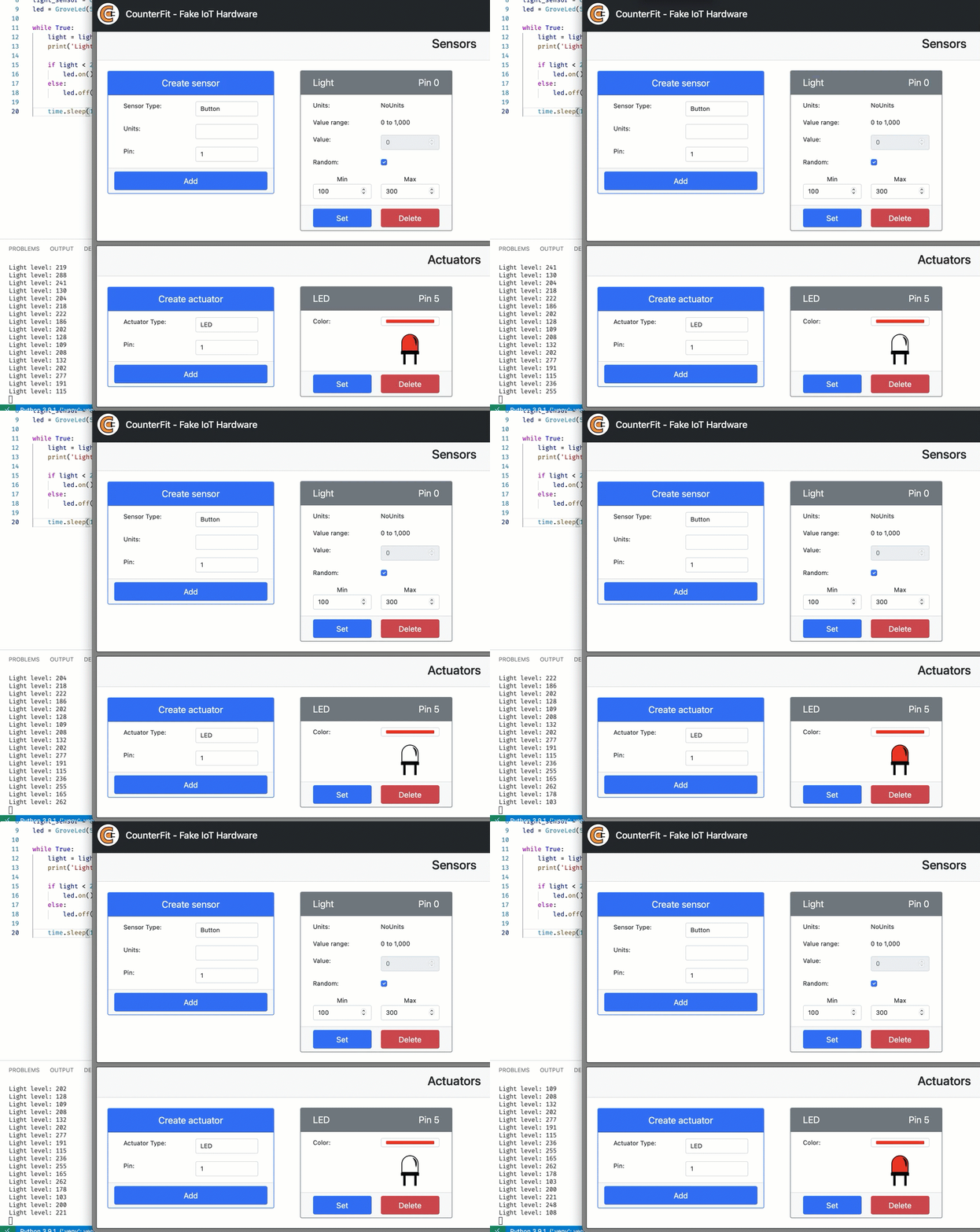
你可以在code-actuator/virtual-device文件夹中找到此代码。
你的夜灯程序成功了!
声明:
本文件灏天文库团队进行了翻译。尽管我们力求准确,但请注意,翻译可能包含错误或不准确之处。原文档以其原始语言为准。我们不对因使用此翻译而产生的任何误解或误译负责。