附录-TensorBoard
comments: true title: 可视化工具TensorBoard

快速开始
tensorboard --logdir=runs
在终端执行tensorboard命令,指定logdir参数为存储日志数据的目录。
from torch.utils.tensorboard import SummaryWriter # default `log_dir` is "runs" - we'll be more specific here writer = SummaryWriter('runs/unlock-hf')
创建TensorBoard日志记录器,日志数据将被存储在 runs/unlock-hf 目录下。
!!! note "上下文管理器"
也可以使用with语句建立日志记录器。
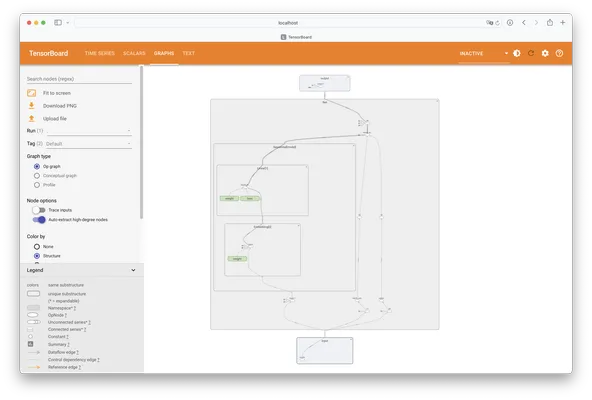
可视化网络
定义神经网络。
class Net(nn.Module): def __init__(self): super(Net, self).__init__() self.conv1 = nn.Conv2d(1, 6, 5) self.pool = nn.MaxPool2d(2, 2) self.conv2 = nn.Conv2d(6, 16, 5) self.fc1 = nn.Linear(16 * 4 * 4, 120) self.fc2 = nn.Linear(120, 84) self.fc3 = nn.Linear(84, 10) def forward(self, x): x = self.pool(F.relu(self.conv1(x))) x = self.pool(F.relu(self.conv2(x))) x = x.view(-1, 16 * 4 * 4) x = F.relu(self.fc1(x)) x = F.relu(self.fc2(x)) x = self.fc3(x) return x net = Net()
- 利用
add_graph方法向日志记录器中添加网络模型结构。
with SummaryWriter('runs/unlock-hf') as writer: writer.add_graph(net, torch.rand(1, 1, 28, 28))
可视化图片
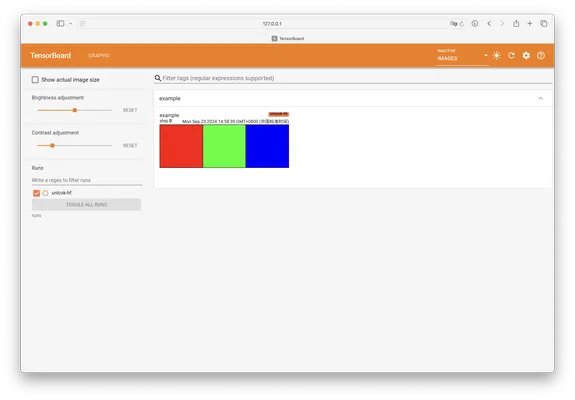
imgs = torch.zeros(3, 3, 256, 256) imgs[0, 0, :, :] = 255 imgs[1, 1, :, :] = 255 imgs[2, 2, :, :] = 255 imgs = torchvision.utils.make_grid(imgs) with SummaryWriter('runs/unlock-hf') as writer: writer.add_image('example', imgs)
- 利用
add_image方法向日志记录器中添加图片。
可视化变量
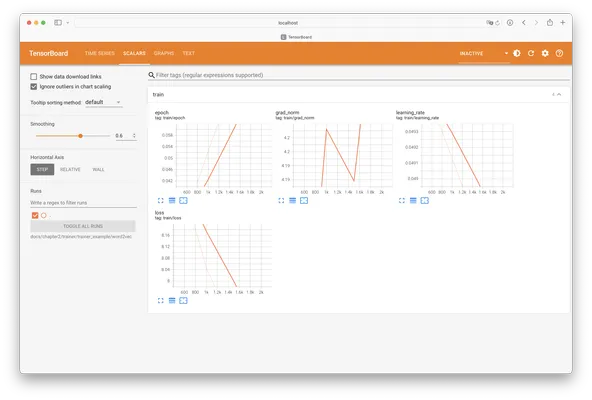
with SummaryWriter('runs/unlock-hf') as writer: for i in range(100): x = i y = x**2 writer.add_scalar("x", x, i) #日志中记录x在第step i 的值 writer.add_scalar("y", y, i) #日志中记录y在第step i 的值
- 利用
add_scalar方法向日志记录器中添加变量数据。
可视化向量空间
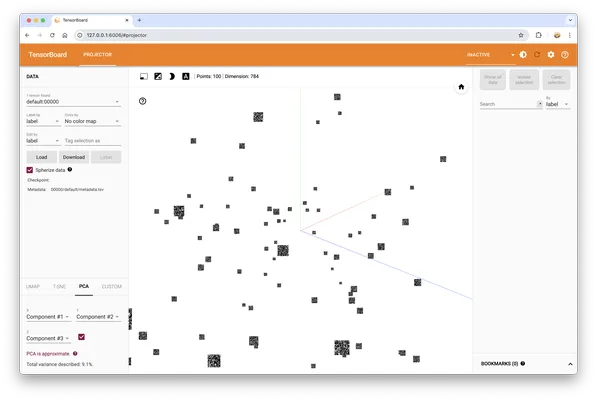
images = torch.randn(100, 1, 28, 28) labels = torch.randint(0, 10, (100,)) with SummaryWriter('runs/unlock-hf') as writer: features = images.view(-1, 28 * 28) class_labels = [f'Class {i}' for i in labels] labels = labels.unsqueeze(1) writer.add_embedding(features, metadata=labels, label_img=images)
- 利用
add_embedding方法向日志记录器中添加向量数据。
!!! warning "注意"
部分浏览器可能无法正常显示此部分界面。
参考资料
评论区
(0)
U