附录-TensorBoard
文档摘要
comments: true title: 可视化工具TensorBoard tensorflow 快速开始 在终端执行 命令,指定 参数为存储日志数据的目录。 创建TensorBoard日志记录器,日志数据将被存储在 目录下。 !!! note "上下文管理器" 也可以使用 语句建立日志记录器。 可视化网络 定义神经网络。 利用 方法向日志记录器中添加网络模型结构。 graph 可视化图片 利用 方法向日志记录器中添加图片。 picture 可视化变量 利用 方法向日志记录器中添加变量数据。 scaler 可视化向量空间 利用 方法向日志记录器中添加向量数据。 embedding !!! warning "注意" 部分浏览器可能无法正常显示此部分界面。
comments: true title: 可视化工具TensorBoard

快速开始
tensorboard --logdir=runs
在终端执行tensorboard命令,指定logdir参数为存储日志数据的目录。
from torch.utils.tensorboard import SummaryWriter # default `log_dir` is "runs" - we'll be more specific here writer = SummaryWriter('runs/unlock-hf')
创建TensorBoard日志记录器,日志数据将被存储在 runs/unlock-hf 目录下。
!!! note "上下文管理器"
也可以使用with语句建立日志记录器。
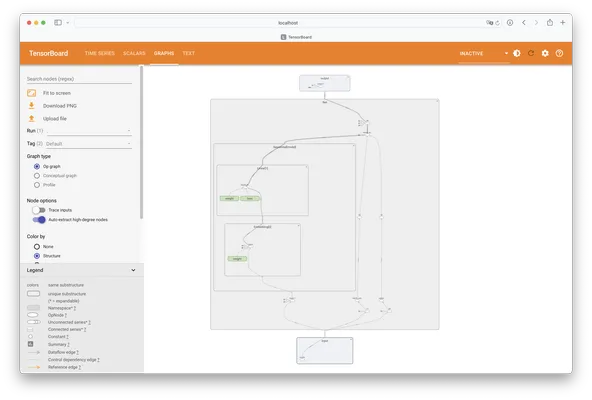
可视化网络
定义神经网络。
class Net(nn.Module): def __init__(self): super(Net, self).__init__() self.conv1 = nn.Conv2d(1, 6, 5) self.pool = nn.MaxPool2d(2, 2) self.conv2 = nn.Conv2d(6, 16, 5) self.fc1 = nn.Linear(16 * 4 * 4, 120) self.fc2 = nn.Linear(120, 84) self.fc3 = nn.Linear(84, 10) def forward(self, x): x = self.pool(F.relu(self.conv1(x))) x = self.pool(F.relu(self.conv2(x))) x = x.view(-1, 16 * 4 * 4) x = F.relu(self.fc1(x)) x = F.relu(self.fc2(x)) x = self.fc3(x) return x net = Net()
- 利用
add_graph方法向日志记录器中添加网络模型结构。
with SummaryWriter('runs/unlock-hf') as writer: writer.add_graph(net, torch.rand(1, 1, 28, 28))
可视化图片
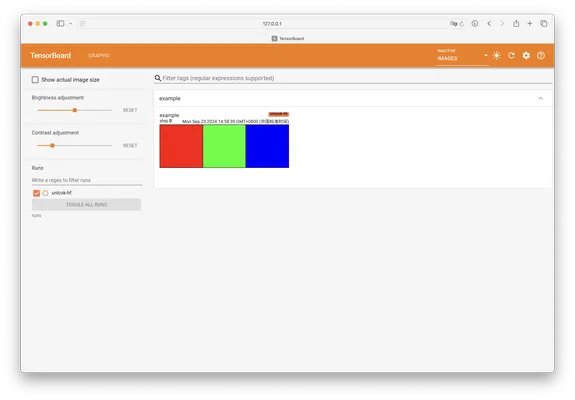
imgs = torch.zeros(3, 3, 256, 256) imgs[0, 0, :, :] = 255 imgs[1, 1, :, :] = 255 imgs[2, 2, :, :] = 255 imgs = torchvision.utils.make_grid(imgs) with SummaryWriter('runs/unlock-hf') as writer: writer.add_image('example', imgs)
- 利用
add_image方法向日志记录器中添加图片。
可视化变量
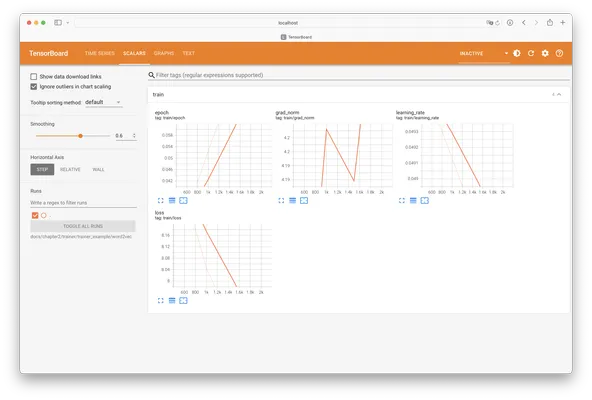
with SummaryWriter('runs/unlock-hf') as writer: for i in range(100): x = i y = x**2 writer.add_scalar("x", x, i) #日志中记录x在第step i 的值 writer.add_scalar("y", y, i) #日志中记录y在第step i 的值
- 利用
add_scalar方法向日志记录器中添加变量数据。
可视化向量空间
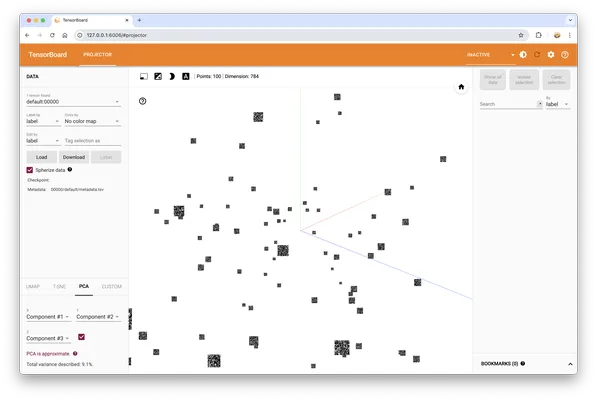
images = torch.randn(100, 1, 28, 28) labels = torch.randint(0, 10, (100,)) with SummaryWriter('runs/unlock-hf') as writer: features = images.view(-1, 28 * 28) class_labels = [f'Class {i}' for i in labels] labels = labels.unsqueeze(1) writer.add_embedding(features, metadata=labels, label_img=images)
- 利用
add_embedding方法向日志记录器中添加向量数据。
!!! warning "注意"
部分浏览器可能无法正常显示此部分界面。
参考资料
评论区
(0)
U