Vue与Angular集成Animate.css:组件化动画最佳实践
Vue与Angular集成Animate.css:组件化动画最佳实践
Vue 3 集成
基础安装
npm install animate.css
// main.js import { createApp } from 'vue'; import 'animate.css'; import App from './App.vue'; createApp(App).mount('#app');
Transition 组件
Vue 的 <Transition> 组件天然支持 CSS 类名切换,与 Animate.css 的类名机制完美契合:
<template> <button @click="show = !show">切换</button> <Transition enter-active-class="animate__animated animate__fadeInUp" leave-active-class="animate__animated animate__fadeOutDown" > <div v-if="show" class="box">动画内容</div> </Transition> </template> <script setup> import { ref } from 'vue'; const show = ref(false); </script>
enter-active-class 在元素进入时添加,leave-active-class 在元素离开时添加。Vue 的 <Transition> 会自动处理 v-if 的时序——先播放退出动画,动画结束后再移除 DOM。
<Transition> 的执行流程:

TransitionGroup 列表动画
<template> <TransitionGroup enter-active-class="animate__animated animate__fadeInUp" leave-active-class="animate__animated animate__fadeOutRight" move-class="animate__animated animate__fadeIn" tag="ul" > <li v-for="item in items" :key="item.id" :style="{ '--animate-delay': item._delay + 's' }"> {{ item.text }} </li> </TransitionGroup> </template> <script setup> import { ref, computed } from 'vue'; const items = ref([ { id: 1, text: '项目 A', _delay: 0.1 }, { id: 2, text: '项目 B', _delay: 0.2 }, { id: 3, text: '项目 C', _delay: 0.3 }, ]); function addItem() { items.value.push({ id: Date.now(), text: '新项目', _delay: 0 }); } function removeItem(id) { items.value = items.value.filter(i => i.id !== id); } </script>
<TransitionGroup> 处理的是列表中元素的增删——新增的元素播放进入动画,删除的元素播放退出动画,保留的元素播放位移动画(move-class)。
自定义指令:v-animate
如果不想每次都写 <Transition> 包裹,可以用自定义指令简化:
// directives/animate.js export const vAnimate = { mounted(el, binding) { const { value } = binding; if (typeof value === 'string') { el.classList.add('animate__animated', value); } }, updated(el, binding) { // 支持动态切换动画 const { value, oldValue } = binding; if (value !== oldValue) { if (oldValue) { el.classList.remove('animate__animated', oldValue); } if (value) { void el.offsetWidth; el.classList.add('animate__animated', value); } } } };
注册:
// main.js import { createApp } from 'vue'; import { vAnimate } from './directives/animate'; const app = createApp(App); app.directive('animate', vAnimate);
使用:
<template> <div v-animate="currentAnimation">动态动画元素</div> </template> <script setup> import { ref } from 'vue'; const currentAnimation = ref('animate__bounceIn'); function changeAnimation() { currentAnimation.value = 'animate__shakeX'; } </script>
Nuxt 3 集成
Nuxt 3 中在 nuxt.config.ts 或布局文件中引入:
// nuxt.config.ts export default defineNuxtConfig({ css: ['animate.css/animate.min.css'] });
或在特定页面中按需引入。由于 Nuxt 支持 CSS 自动导入,也可以用 @nuxtjs/color-mode 的暗色模式配合 CSS 变量调整动画风格。
Angular 集成
基础安装
npm install animate.css
// angular.json { "projects": { "my-app": { "architect": { "build": { "options": { "styles": [ "node_modules/animate.css/animate.min.css", "src/styles.scss" ] } } } } } }
Angular Animations 与 Animate.css
Angular 自带 @angular/animations 模块,功能强大但配置较重。如果你的动画需求相对简单,直接用 Animate.css 类名更轻量。
方案一:直接用 HostBinding
import { Component, HostBinding, Input } from '@angular/core'; @Component({ selector: 'app-animated-card', template: '<ng-content></ng-content>' }) export class AnimatedCardComponent { @Input() animation = 'animate__fadeInUp'; @HostBinding('class.animate__animated') hasAnimated = true; @HostBinding('class') get animationClass() { return this.animation; } }
使用:
<app-animated-card animation="animate__zoomIn">内容</app-animated-card> <app-animated-card animation="animate__fadeInLeft">内容</app-animated-card>
方案二:手动控制类名
@Component({ selector: 'app-notification', template: ` <div [class.animate__animated]="true" [ngClass]="animationClasses" (animationend)="onAnimationEnd($event)" > {{ message }} </div> ` }) export class NotificationComponent { @Input() message = ''; @Input() visible = false; animationClasses: Record<string, boolean> = {}; ngOnChanges(changes) { if (changes['visible']) { if (this.visible) { this.animationClasses = { 'animate__fadeInRight': true }; } else { this.animationClasses = { 'animate__fadeOutRight': true }; } } } onAnimationEnd(e: AnimationEvent) { if (e.animationName === 'fadeOutRight') { this.visible = false; } } }
方案三:Angular Animations 框架 + Animate.css 类名
对于需要精确控制动画时序的场景,可以混合使用 Angular Animations 和 Animate.css:
import { trigger, transition, style, animate, query } from '@angular/animations'; @Component({ selector: 'app-page', template: ` <div [@routeAnimation]="route.url" class="animate__animated animate__fadeInUp"> <router-outlet></router-outlet> </div> `, animations: [ trigger('routeAnimation', [ transition('* => *', [ query(':enter', [ style({ opacity: 0 }), animate('0.3s ease-out', style({ opacity: 1 })) ]) ]) ]) ] })
这里的 Angular Animations 控制 opacity 的过渡,Animate.css 控制 fadeInUp 的位移效果。两者在不同属性上操作,互不冲突。
框架集成的通用原则
无论使用哪个框架,集成 Animate.css 时有几个通用原则:
1. 类名添加是声明式的,时序控制是命令式的。 Animate.css 的动画类是声明式的("我要什么效果"),但"什么时候添加这个类"是命令式的(JS 控制)。框架的职责是后者。
2. 用 CSS 变量而非 JS 控制延迟。 框架中容易犯的错是用 setTimeout 逐个添加类名来实现交错效果。正确做法是用 CSS 变量 --animate-delay 加 nth-child 或内联 style。
3. 退出动画需要框架配合。 CSS Animation 的 animationend 事件发生在动画播放完毕时,但框架可能在动画播放前就销毁了 DOM 节点。必须确保框架的卸载逻辑等待 animationend。
4. 动画属性不要与框架的样式系统冲突。 某些 UI 框架(如 Tailwind CSS)可能会覆盖 Animate.css 的 animation 属性。确保引入顺序正确,或用更高优先级的选择器。
5. Vue 2 与 Vue 3 的过渡类名有细微差别。 两者的 enter-active-class、leave-active-class 写法一致,但 Vue 2 的过渡系统默认依赖 CSS transition,如果元素本身还声明了 transition 属性,动画与过渡会互相覆盖,退出动画经常表现为"直接消失"。排查时先确认目标元素上没有残留的 transition,再确认引入顺序。
6. Angular 要留意 Zone.js 对动画时序的影响。 在 Angular 里频繁增删类名会触发变更检测,如果 animationend 回调中又修改了组件状态,可能产生多余的检测循环。对高频动画(比如拖拽跟手、列表批量进入),用 NgZone.runOutsideAngular 包裹动画监听可以避免这类开销,动画结束后再回到 Angular 的检测循环里更新状态。
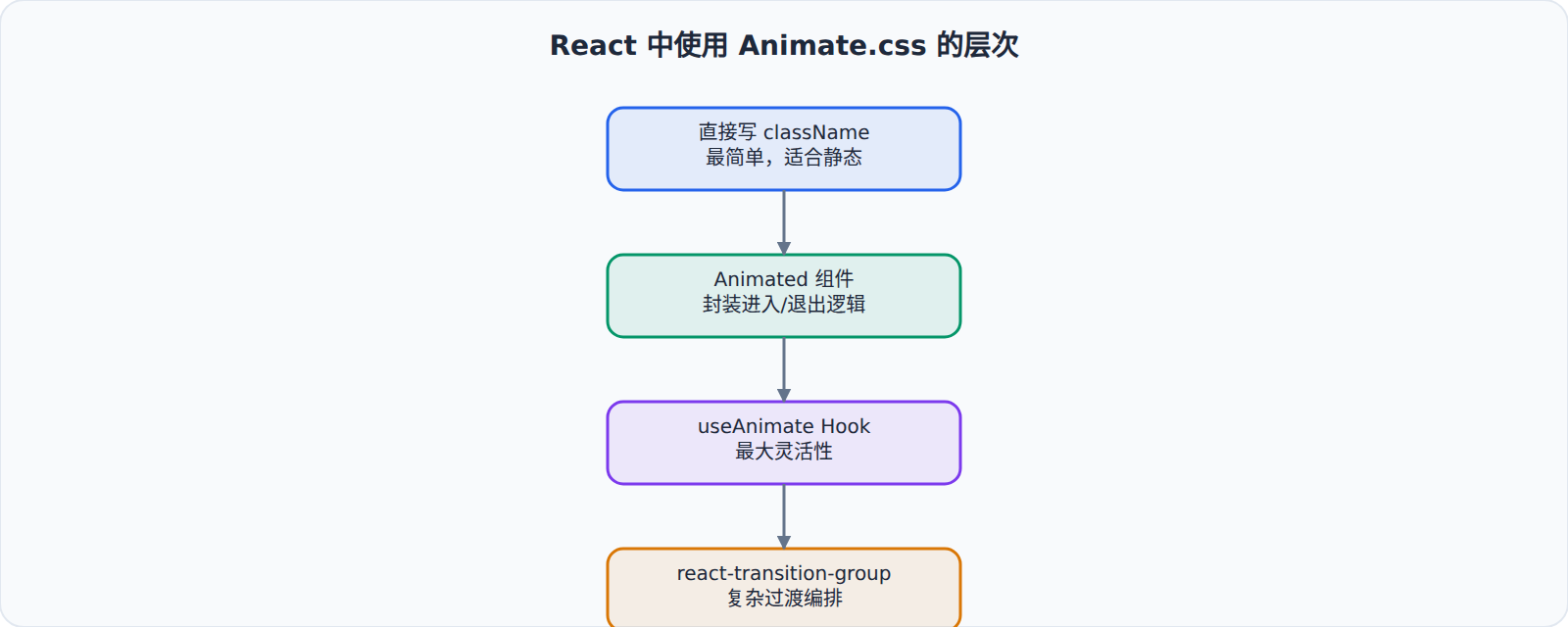
7. 退出动画的卸载时序是框架集成的重灾区。 三种框架的通用解法都是"先播放退出动画,监听 animationend 后再移除 DOM"。Vue 用 <Transition> 的 leave-active-class 天然支持;Angular 需要自己维护一个 isLeaving 状态;React 则需要配合 react-transition-group 或自己记录卸载前状态。跳过这一步的常见后果是:动画还播到一半,节点已经被框架卸载,页面上只剩突兀的闪烁。