7.2 Lua 自定义解剖刀:解剖私有协议
7.2 Lua 自定义解剖刀:解剖私有协议
工业设备、游戏服务、内部 RPC——世界上跑着大量没有公开规范的私有协议,Wireshark 对它们的默认反应是"未解析的数据"。本节讲怎么用内嵌的 Lua 引擎给解剖台装一把自定义刀:从三件套(协议对象、字段定义、解剖函数)讲起,完整实现一个示例协议的解剖器,再给调试手段。3.3 节的解析器机制认知在这里变成动手能力。
场景设定:一个假想的私有协议
设某设备的监控协议跑在 TCP 9000 上,格式如下:
偏移 长度 字段 说明 0 1 magic 固定 0xA7,认门用 1 1 version 版本号,当前为 2 2 2 length 载荷长度(大端) 4 1 msg_type 1 心跳 2 上报 3 控制 5 ... payload length 字节的载荷
不写解剖器时,Wireshark 只能显示"data"加一串十六进制;装刀之后,字段树、显示过滤器、列、统计全套可用。先看成品效果,再倒回去讲怎么写:
# 装刀之后(-X lua_script 指定脚本): $ tshark -r device.pcapng -X lua_script:myproto.lua \ -Y "myproto.msg_type == 2" -T fields -e frame.number -e myproto.length 17 88 23 512 41 130
myproto.msg_type 这种字段名能直接进过滤器——自定义字段在字段注册表里与内置字段平起平坐(3.3 节的机制对外完全开放)。
三件套:协议对象、字段定义、解剖函数
-- 文件名:myproto.lua -- 第一件:协议对象(名字与前缀) local p = Proto("myproto", "Device Monitor Protocol") -- 第二件:字段定义(过滤器里用的名字由此而来) local f_magic = ProtoField.uint8 ("myproto.magic", "Magic", base.HEX) local f_version = ProtoField.uint8 ("myproto.version", "Version", base.DEC) local f_length = ProtoField.uint16("myproto.length", "Length", base.DEC) local f_type = ProtoField.uint8 ("myproto.msg_type","Message Type", { [1]="心跳", [2]="上报", [3]="控制" }) local f_payload = ProtoField.bytes ("myproto.payload", "Payload") p.fields = { f_magic, f_version, f_length, f_type, f_payload } -- 第三件:解剖函数(读字节、挂字段) function p.dissector(buf, pkt, tree) local t = tree:add(p, buf(0), "Device Monitor") t:add(f_magic, buf(0,1)) t:add(f_version, buf(1,1)) t:add(f_length, buf(2,2)) t:add(f_type, buf(4,1)) pkt.cols.info:set(string.format("type=%d len=%d", buf(4,1):uint(), buf(2,2):uint())) end -- 第四步:挂到端口表(3.3 节的注册机制,Lua 侧的入口) DissectorTable.get("tcp.port"):add(9000, p)
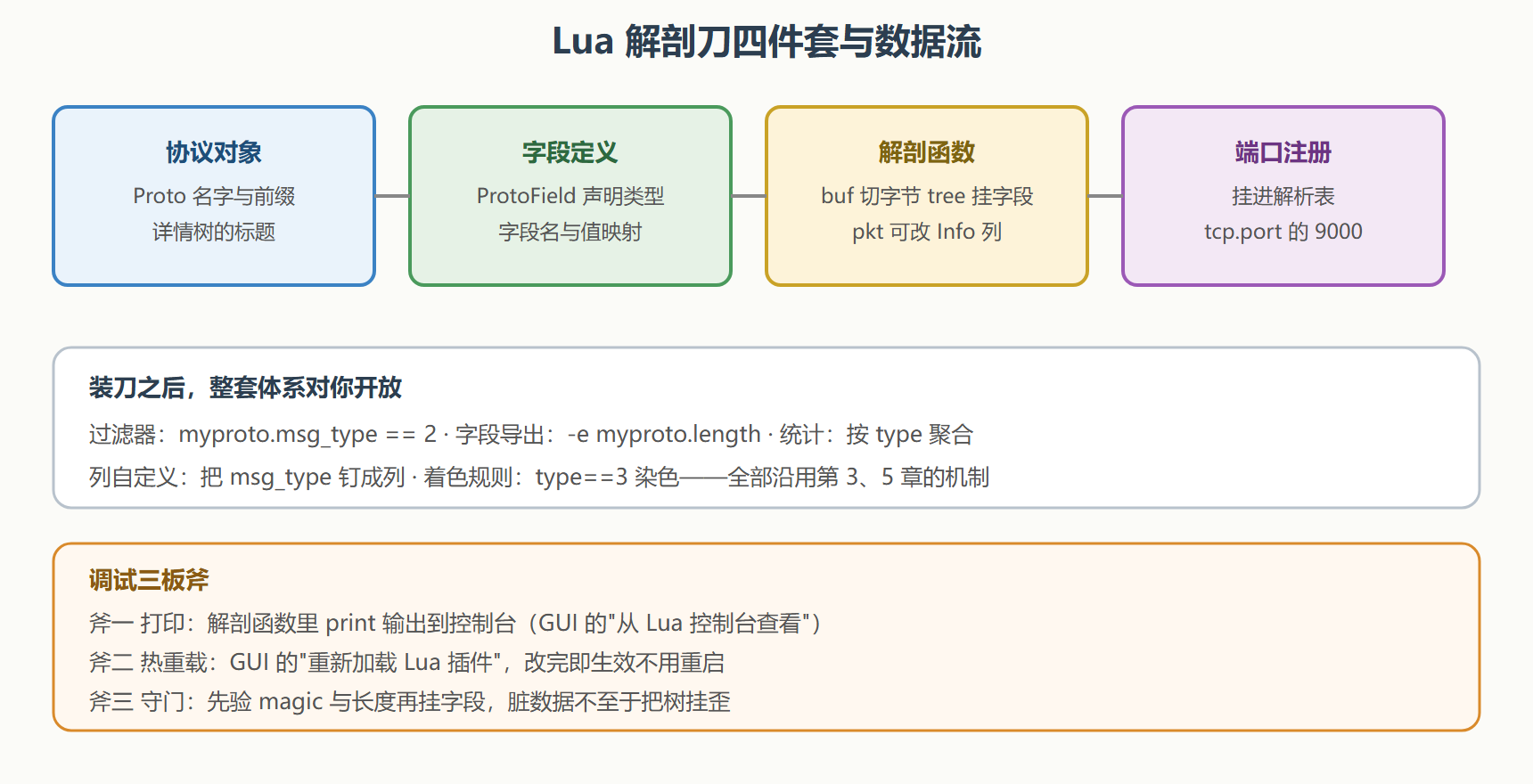
四段代码逐个说。协议对象给出显示名与字段前缀;字段定义用 ProtoField 系列声明类型与显示进制,msg_type 的第四个参数是值到名字的映射——详情树里会直接显示"上报"而不是裸数字 2;解剖函数拿三样参数:buf 是本层字节缓冲,pkt 是包信息(能改列表的 Info 列),tree 是字段树的父节点,buf(偏移,长度) 切出字段,t:add 挂上树;端口注册把整个协议挂到 TCP 9000——正是 3.3 节讲的端口表,Lua 侧一行搞定。
让解剖函数更健壮
上面的最小版本有个隐患:TCP 分段会让一个报文跨多帧到达,buf 里可能只有半截。健壮版加上校验与长度核对:
function p.dissector(buf, pkt, tree) -- 守门一:太短的不硬解 if buf:len() < 5 then return 0 end -- 守门二:magic 对不上,交还引擎(可能是误判到这个端口的别的流量) if buf(0,1):uint() ~= 0xA7 then return 0 end local len = buf(2,2):uint() local t = tree:add(p, buf(0), "Device Monitor") t:add(f_magic, buf(0,1)) t:add(f_version, buf(1,1)) t:add(f_length, buf(2,2)) t:add(f_type, buf(4,1)) if buf:len() >= 5 + len then t:add(f_payload, buf(5, len)) -- 载荷作为子节点挂上 t:append_text(string.format(" type=%s len=%d", ({ [1]="心跳",[2]="上报",[3]="控制" })[buf(4,1):uint()] or "?", len)) else t:add_expert_info(PI_MALFORMED, PI_WARN, "长度字段与实际不符:疑似跨段或误判") end end
return 0 表示"这不像我的流量",引擎会继续尝试其他解析器(3.3 节的分派机制的容错面)。add_expert_info 把疑点挂进专家信息系统(8.2 节会展开)——报文本身的异常字段从此自报家门。跨段重组的完整处理(配合 TCP 流重组拿完整报文)属于进阶话题,思路是注册到正确的解析时机让引擎先拼流,本节守住"守门加告警"这条及格线。
部署与验证
脚本的三个安放位置:临时加载(-X lua_script:myproto.lua,验证用)、个人插件目录(一次放好,GUI 每次自动加载)、随配置档分发(7.3 节的 Profile 机制)。验证的固定动作:
# 验证一:字段注册成功(字段户籍里能查到) $ tshark -G field-names | grep myproto myproto.magic myproto.version myproto.length myproto.msg_type # 验证二:过滤器与导出可用(本节开头的会话) $ tshark -r device.pcapng -X lua_script:myproto.lua -Y "myproto.msg_type == 2" -c 3
⚠️ Lua 解剖刀的性能天花板要心里有数:解释执行比内置 C 解析器慢一个数量级,单文件几十万帧的批量处理会明显拖慢。深度使用(高频协议、大流量)的最终归宿是 7.3 节会提到的 C 解析器贡献路径;Lua 的定位是快速验证与低频私有协议。
结案要点
- 四件套:协议对象、字段定义、解剖函数、端口注册——一套模板解决一类私有协议。
- 值映射让树里直接显示语义:"上报"比裸数字 2 更接近勘验语言。
- 守门返回零:不硬解可疑流量,交还引擎保住容错。
- 调试三板斧:print、热重载、守门校验。
- 性能定位:快速验证用 Lua,深度高频走 C 扩展。
刀也装上了,最后一节解决持续补给——样本从哪来、功夫怎么练、经验往哪存。