高级动画编排:序列、并行与复合动画技巧
高级动画编排:序列、并行与复合动画技巧
动画序列(Sequential)
多个动画按固定顺序依次播放。实现方式有三种。
方式一:CSS animation-delay 递增
.seq-item:nth-child(1) { --animate-delay: 0s; } .seq-item:nth-child(2) { --animate-delay: 0.2s; } .seq-item:nth-child(3) { --animate-delay: 0.4s; } .seq-item:nth-child(4) { --animate-delay: 0.6s; } .seq-item:nth-child(5) { --animate-delay: 0.8s; }
<div class="seq-item animate__animated animate__fadeInUp">第一项</div> <div class="seq-item animate__animated animate__fadeInUp">第二项</div> <div class="seq-item animate__animated animate__fadeInUp">第三项</div> <div class="seq-item animate__animated animate__fadeInUp">第四项</div> <div class="seq-item animate__animated animate__fadeInUp">第五项</div>
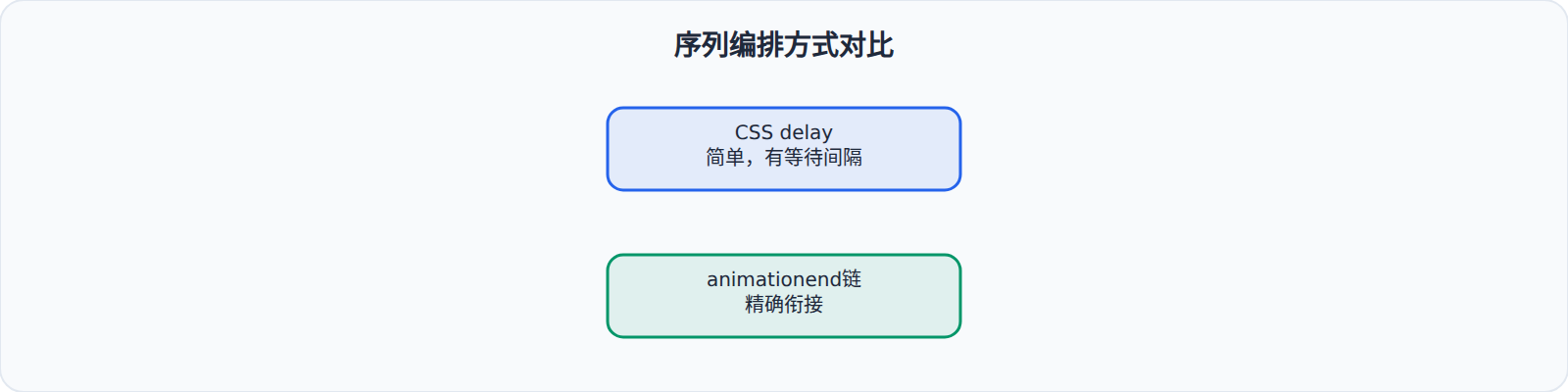
优点:纯 CSS,无 JS。缺点:总延迟时间是固定的,每个动画结束后需要等待延迟差值才能开始下一个。
方式二:animationend 链式调用
var items = document.querySelectorAll('.seq-item'); function playSequence(index) { if (index >= items.length) return; var item = items[index]; item.classList.add('animate__animated', 'animate__fadeInUp'); item.addEventListener('animationend', function handler() { item.removeEventListener('animationend', handler); playSequence(index + 1); }); } playSequence(0);
优点:每个动画结束后立即开始下一个,没有"等待间隔"。缺点:需要 JS。
方式三:Promise + async/await
function animate(el, className) { return new Promise(function(resolve) { function handler(e) { el.removeEventListener('animationend', handler); resolve(); } el.addEventListener('animationend', handler); el.classList.add('animate__animated', className); }); } async function sequencedAnimations() { var items = document.querySelectorAll('.seq-item'); for (var i = 0; i < items.length; i++) { await animate(items[i], 'animate__fadeInUp'); } console.log('全部完成'); }
并行动画(Parallel)
多个动画同时播放。
<div class="card animate__animated animate__fadeInUp"> <h3 class="animate__animated animate__fadeInLeft" style="--animate-delay: 0.2s">标题</h3> <p class="animate__animated animate__fadeIn" style="--animate-delay: 0.4s">描述文字</p> <button class="animate__animated animate__zoomIn" style="--animate-delay: 0.6s">按钮</button> </div>
外层容器向上淡入,内部元素依次出现——但整体在同一个时间窗口内。这比"容器先完全进入,然后内部元素再依次进入"的视觉效果更紧凑。
同时播放多个不同动画
CSS Animation 允许通过逗号分隔多个动画:
.complex-animate { animation: fadeIn 0.8s ease-out both, slideUp 0.6s cubic-bezier(0.34, 1.56, 0.64, 1) both 0.1s; }
但这与 Animate.css 的类名机制不兼容(类名只能绑定一个 animation-name)。如果需要同时播放多个动画,有两种方法:
方法一:嵌套元素
<div class="animate__animated animate__fadeIn"> <div class="animate__animated animate__bounceIn" style="--animate-delay: 0.2s"> 内容同时淡入+弹跳 </div> </div>
方法二:自定义 CSS
.animate__custom-combo { animation-name: fadeIn, bounceIn; animation-duration: 0.8s, 0.6s; animation-delay: 0s, 0.2s; animation-fill-mode: both; animation-timing-function: ease-out, cubic-bezier(0.34, 1.56, 0.64, 1); }
复合动画(Compound)
进入 + 停留 + 退出
一个完整的 UI 元素生命周期:进入 → 可见状态 → 退出。
async function elementLifecycle(element, enterAnim, exitAnim, stayTime) { // 进入 element.classList.add('animate__animated', enterAnim); await waitForAnimation(element); // 停留 await new Promise(function(resolve) { setTimeout(resolve, stayTime); }); // 退出 element.classList.remove(enterAnim); element.classList.add(exitAnim); await waitForAnimation(element); element.classList.remove('animate__animated', exitAnim); }
进入 → 强调 → 退出
Toast 通知的生命周期:滑入 → 3秒停留(可选闪烁提示) → 滑出。
async function toastLifecycle(message) { var toast = document.createElement('div'); toast.className = 'toast'; toast.textContent = message; document.body.appendChild(toast); // 进入 toast.classList.add('animate__animated', 'animate__slideInRight'); await waitForAnimation(toast); // 停留 + 最后1秒闪烁提示 await new Promise(function(r) { setTimeout(r, 2500); }); toast.classList.add('animate__pulse'); await new Promise(function(r) { setTimeout(r, 1000); }); toast.classList.remove('animate__pulse'); // 退出 toast.classList.remove('animate__slideInRight'); toast.classList.add('animate__slideOutRight'); await waitForAnimation(toast); toast.remove(); }
编排中的常见坑
animationend 会冒泡。 在父容器上监听 animationend 时,子元素的动画结束事件也会冒泡上来,需要比较 event.target 与监听元素是否一致,否则一个列表里某个子项动画结束会导致整串逻辑误触发。
负延迟可以"跳过开头"。 给 animation-delay 设负值会让动画从中间状态开始播放。交错列表如果想做"看似同时开始、实际错开收尾"的效果,负延迟比正延迟更顺手——比如让第二项从 30% 处开始,视觉上整体更紧凑。
无限循环动画别忘清理。 为按钮加 animate__infinite 后,如果组件被卸载,动画相关的事件监听要一并移除;对低频交互这无所谓,对常驻列表却可能造成内存泄漏。
优先 transform 与 opacity。 编排多个动画时尽量让每个动画都只动 transform 或 opacity,避免同时改 width、height、top 等触发重排的属性,否则交错播放时页面会频繁布局,掉帧明显。
序列时长要算上动画本身。 用 animationend 做链式编排时,如果某个动画设置了 animate__slower 或 --animate-duration 变大,链的节奏会被整体拉长;而用 CSS delay 做序列时,后续项的开始时间不受前面动画时长影响,两种方式的时序语义完全不同,混用容易对不上。
编排模式总结
选择建议:
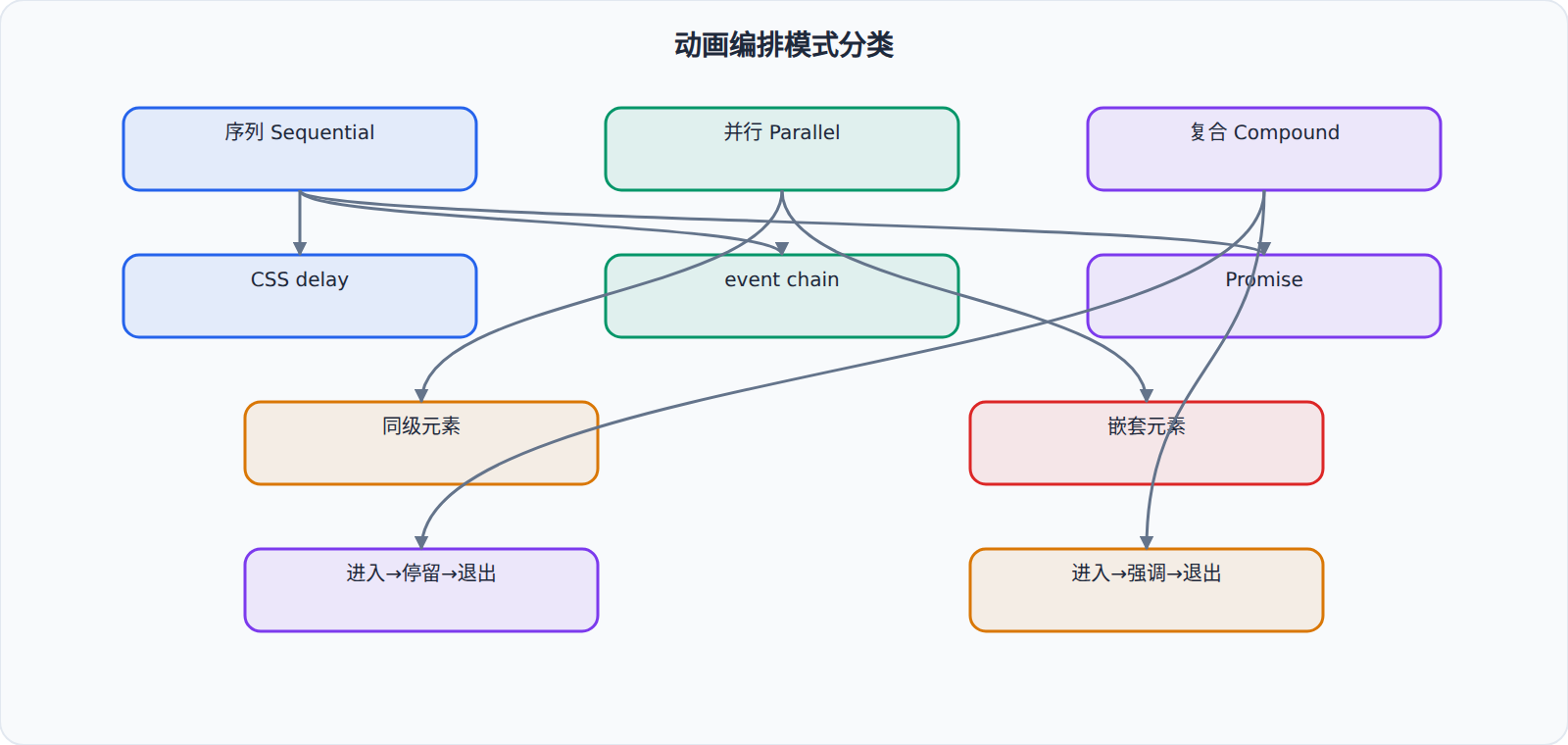
- 简单的交错列表 → CSS delay
- 分步引导、表单步骤 → animationend 链或 Promise
- 需要同时执行不同动画 → 嵌套元素
- Toast/Notification → 复合动画模式
Animate.css 在编排上的局限性在于:它没有时间轴 API,所有时序控制都需要通过 CSS delay 或 JS 事件来完成。如果你的编排需求非常复杂(比如多个动画并行执行、某个动画在另一个动画进行到 50% 时开始),建议评估 GSAP 的 Timeline 或等待 CSS Scroll-driven Animations 的普及。